












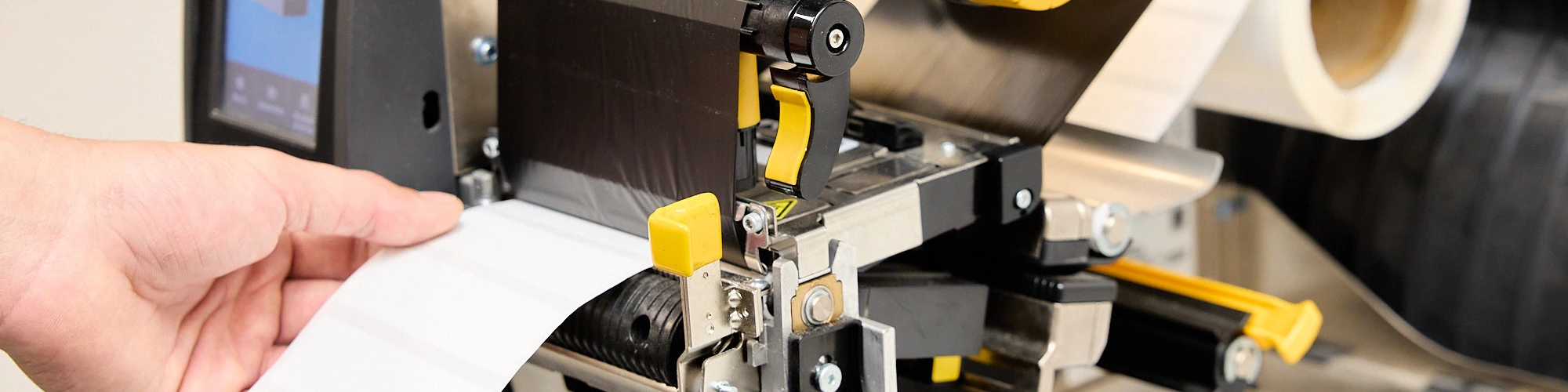
The Ultimate Guide to Prevent Printing Errors
Has Your RFID Printer Stopped Printing Correctly?
Everything seemed to be working perfectly. The RFID labels were configured, the layout was correct, and the printer had been operating without issues for weeks or even months.
Then, suddenly, problems begin to appear:
- Labels feed further than necessary.
- Print positioning becomes misaligned.
- RFID encoding fails.
- The printer displays errors while writing data to the RFID tag.
- The sensor no longer correctly detects the gap between labels.
If you work with RFID technology, you've probably encountered one or more of these situations.
The good news is that, in most cases, the problem is neither the printer nor the labels. The solution is often as simple as performing a proper RFID printer calibration.
At Dipole RFID, we have prepared two technical videos that explain step by step how to carry out this process on two of the most widely used RFID printer models on the market:
- Zebra ZT411R RFID
- Zebra ZD621R RFID
Why Is RFID Printer Calibration So Important?
An RFID printer does much more than print visual information on a label. It must also accurately locate and encode the RFID chip embedded within each label.
To achieve this, the printer needs precise information about:
- Label length
- Gap position between labels
- RFID chip location
- RFID read and write parameters
Incorrect calibration can result in:
- RFID encoding errors
- Label waste
- Unnecessary reprints
- Production downtime
- Increased operational costs
For this reason, calibration should be considered a fundamental best practice in any RFID implementation.
The Most Common RFID Printer Calibration Errors
Over the years, our technical team has identified several recurring mistakes that cause most RFID printer-related issues.
Incorrect Sensor Positioning
The sensor must be properly positioned to detect the gap between labels.
If the sensor is misaligned, the printer may incorrectly interpret the label length.
Improper Label Loading
Incorrect adjustment of the media guides can cause labels to shift during printing.
Incorrect Ribbon Installation
Improper ribbon installation directly affects print quality and may generate errors during the RFID encoding process.
Performing RFID Calibration While the Printer Is in "Pause" Mode
This is one of the most common mistakes.
Many users attempt to start RFID calibration without first disabling the "Pause" mode, resulting in calibration failures.
How to Calibrate a Zebra ZT411R RFID Printer Step by Step
In this video, we demonstrate the complete procedure for calibrating a Zebra ZT411 RFID printer using gap labels.
During the process, you will learn how to:
- Properly load RFID labels
- Adjust the label sensor
- Configure the media guides
- Perform media calibration
- Correctly install the ribbon
- Execute RFID calibration
- Verify proper system operation
How to Calibrate a Zebra ZD621R RFID Printer Step by Step
The Zebra ZD621R is one of the most widely used desktop RFID printers for identification and traceability projects.
Although its interface differs from the ZT411R, the objective remains the same: achieving accurate label detection and reliable RFID encoding.
In this video, you will learn how to:
- Configure media settings
- Adjust the sensors
- Perform manual calibration
- Install the ribbon correctly
- Calibrate the RFID module
- Avoid the most common errors
Quick Guide to Zebra RFID Printer Troubleshooting
Problem | Possible Cause | What to Check |
Label advances too far | Sensor misalignment | Sensor position and media type |
Print is misaligned | Incorrect media calibration | Gap settings, guides, and label length |
RFID encoding fails | Chip position or RFID calibration issue | RFID calibration and tag type |
Error while writing the tag | Pause mode or incorrect configuration | Printer status and RFID settings |
Poor print quality | Ribbon incorrectly installed | Ribbon tension, orientation, and compatibility |
When Should You Recalibrate an RFID Printer?
At Dipole RFID, we recommend performing a new calibration in the following situations:
- Changing the RFID label model
- Changing the label size
- Replacing the ribbon
- Switching RFID label manufacturers
- Updating printer firmware
- Experiencing printing or encoding errors
- Relocating the printer to a different environment
A calibration process that takes only a few minutes can prevent hours of troubleshooting later.
Benefits of Proper RFID Printer Calibration
When an RFID printer is correctly calibrated, immediate improvements can be achieved.
Improved Print Accuracy
Printed information remains perfectly aligned on every label.
Better RFID Performance
The success rate of RFID tag encoding increases significantly.
Reduced Label Waste
Fewer reprints and fewer unusable labels.
Higher Productivity
Operators can focus on value-added tasks instead of resolving printer issues.
Longer System Lifespan
Proper operation reduces wear and tear on printer components.
Dipole RFID: Specialized RFID Printing Technical Support
At Dipole RFID, we help companies in sectors such as logistics, retail, manufacturing, healthcare, and automotive optimize their identification and traceability processes through RFID technology.
In addition to supplying RFID printers, RFID labels, readers, and software solutions, we provide specialized technical support to ensure maximum performance from every installation.
If you need assistance configuring, calibrating, or deploying your RFID system, our technical team will be pleased to help.
Need Help With Your RFID Printer?
If you continue experiencing issues after performing calibration, contact our RFID specialists.
We will analyze your situation and help you find the best solution to restore your RFID system to peak performance and reliability.
Contact Dipole RFID today and optimize the performance of your Zebra RFID printers.
